I run BizPinPro. I built the entire brand, every piece of content, every glossary entry, every field note, around bizpin.pro. Then I found out my own clients might not have been able to see any of it.
Let me say it plainly, this is embarrassing.
I spend my time finding problems on other people's websites and I almost missed one sitting on my own. But the whole point of this series is documenting what actually happens, not just the parts that make me look good. So here it is.
How I Noticed
It started small. Demo sites I sent to prospects occasionally landed in spam. Emails I sent were sometimes marked as spam too. I assumed it was something generic, a link formatting issue, a flagged word, the usual noise that comes with running outbound communication. I did not think much of it.
Then I sent a demo to a client with an iPhone. He sent back a screenshot. The site was inaccessible. Not slow. Not broken looking.
Simply not loading.
I asked him to try a different site, a client site running on a .com domain. It loaded immediately, no issues.
That was the moment I stopped assuming this was random, and it was annoying me to no end.
What I Actually Tested
I had incidentally run my own checks across multiple hotspot locations before this. My site, on the .pro extension, would not load. A client's site on the same network, running on .com, loaded without any problem. Same device, same location, same network, different result based entirely on the domain extension.
At the time, I assumed I was being marked as a spam delivery network.
Looking back, that was a big red banner that I ignored.
I asked Gemini to help me understand what might be happening, and the explanation offered was that .pro, being a less common top level domain compared to .com, .org, or .net, may be getting filtered or flagged at the carrier level by companies like Verizon or T-Mobile. That is a reasonable theory and it lines up with what I was seeing in my own testing.
I want to be clear that this is a plausible explanation, not something I have had directly confirmed by a carrier. What I can say with certainty is what I personally tested and observed. My .pro domain failed to load on cellular networks in more than one location. A comparable .com domain, tested the same way, worked every time.
What I Could Do
I could spend days trying to run down the specific system that is blocking the domain, and then submit a request to get this block lifted. That might work, and it might not. I would always be paranoid about some other system blocking access somewhere down the line.
Or I could eliminate the issue entirely.
The Irony I Could Not Ignore
I have spent months walking into businesses telling owners to check whether their digital presence is actually reachable, not just live. I built an entire company on the idea that looking functional and actually functioning are two different things.
My own domain may have been quietly failing that exact test for an unknown period of time, on an unknown number of devices, for an unknown number of people who tried to reach me and simply got nothing. No error message pointing to the real cause. No warning. Just a page that would not load, on a network that decided, for reasons I still cannot fully verify, that my domain was not worth delivering.
I hold other businesses to a standard of actually checking whether their site works for real people, on real devices, on real networks, and I did not catch this on my own. I am publishing this anyway, because pretending it did not happen would go against everything this series is supposed to be.
What I Did About It
I already owned bizpinpro.com as a backup, which turned out to be the reason this was fixable quickly rather than becoming a much longer problem.
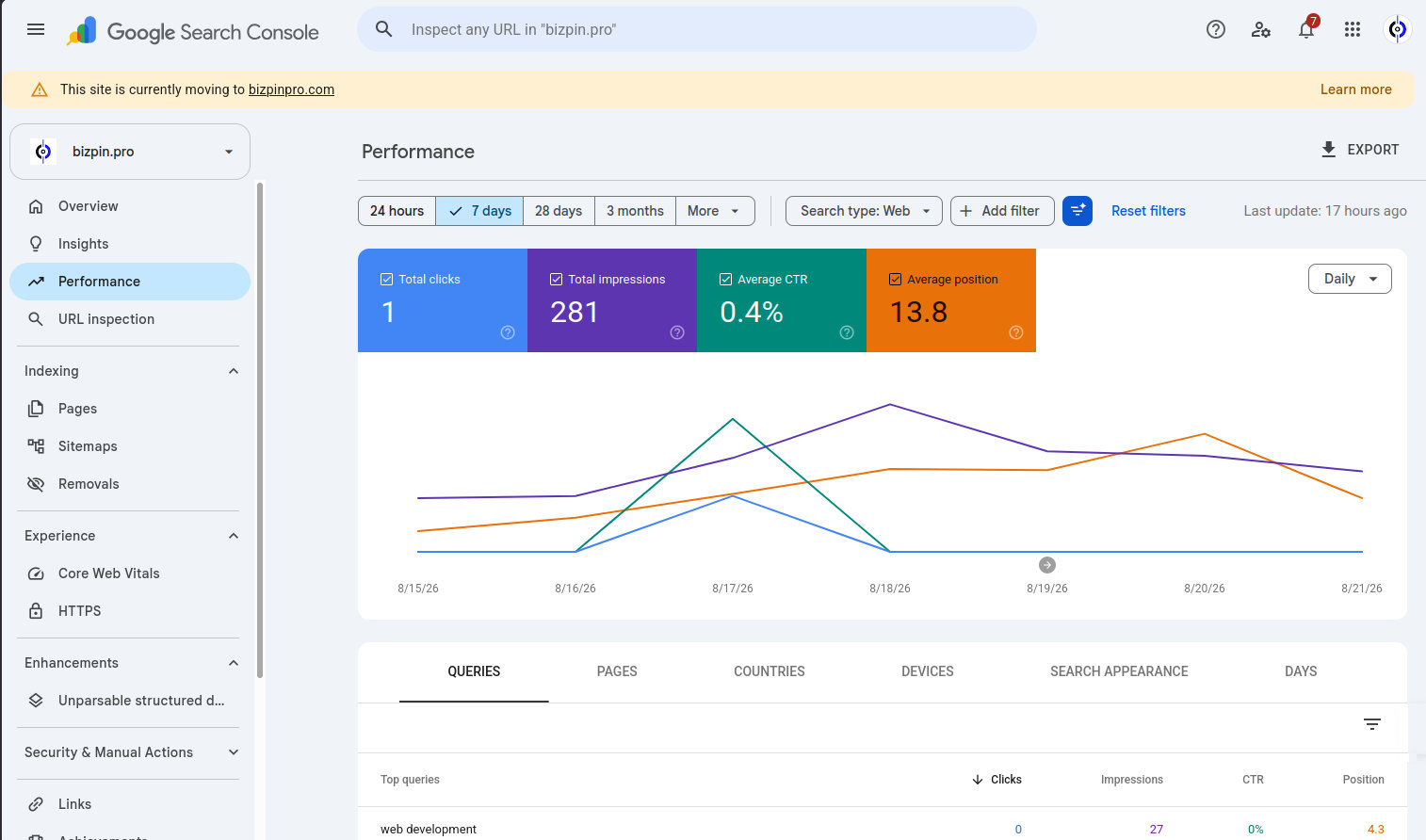
I moved the entire site over to bizpinpro.com and set up a wildcard 301 redirect, meaning any link, any page, any reference to bizpin.pro across the internet, in past emails, in old outreach, in anything already indexed by search engines, automatically forwards to the correct page on the new domain. Nothing breaks. Nothing needs to be manually rebuilt or reissued.
I then submitted a site move request through Google Search Console, which is the formal way of telling Google that a domain has permanently relocated and that all the authority, history, and trust built on the old domain should transfer to the new one. That process is not instant. I am currently waiting for Google to process the transition and begin treating bizpinpro.com as the authoritative version of everything I have built.
Why This Matters Beyond Me
I am not writing this because my situation is unique. I am writing it because if this happened to me, actively watching my own metrics, actively testing my own site, and it still took a client's screenshot to catch it, it is happening silently to other businesses who are not checking at all.
A domain extension is not just a stylistic choice. It carries technical baggage that most business owners, and honestly most web developers, never think to test. Nobody warns you that your professional, credible, perfectly legitimate domain extension might be functionally invisible to a percentage of mobile users because of decisions made at the carrier level that have nothing to do with your content, your reputation, or anything you actually control.
The Foundation Connection
A Digital Foundation is not just about what you build. It is about whether what you build can actually be reached by the people you built it for. I had schema markup, clean code, proper hosting, everything on my own standards checklist done correctly, and none of it mattered to a percentage of mobile users who never saw any of it because the domain itself was the point of failure.
I caught this because a client happened to send me a screenshot. Most business owners never get that screenshot. They just quietly lose customers who tried to find them and could not, and never know why.
Check your own site the way I finally checked mine. Not just whether it loads on your own device, on your own network, where you have likely visited it a hundred times already. Try it somewhere else. Try it on a different carrier. Try it on a phone that has never touched your site before.
I built in every safeguard I knew to build. The one thing that almost got me was the one thing I never thought to question, the three letters after the dot.


