This is an example site built by BizPinPro. The work behind it is real. See what is behind the scenes: structured data, sharing tags, sitemap, llms.txt, accessibility and the spam-filtered form, written for this kind of business. Or try the systems demos with a live booking engine and owner dashboard.
Northline Heating & AirService 24 hours Call 24/7

Your system waits for the worst possible day to quit.

Northline repairs heating and cooling for homes and small commercial buildings. We answer the phone at 3 a.m., we diagnose before we quote, and we carry the parts that fail most.

No heat or no cooling is treated as an emergency, not a ticket in a queue. Nights, weekends and holidays are dispatched the same way.

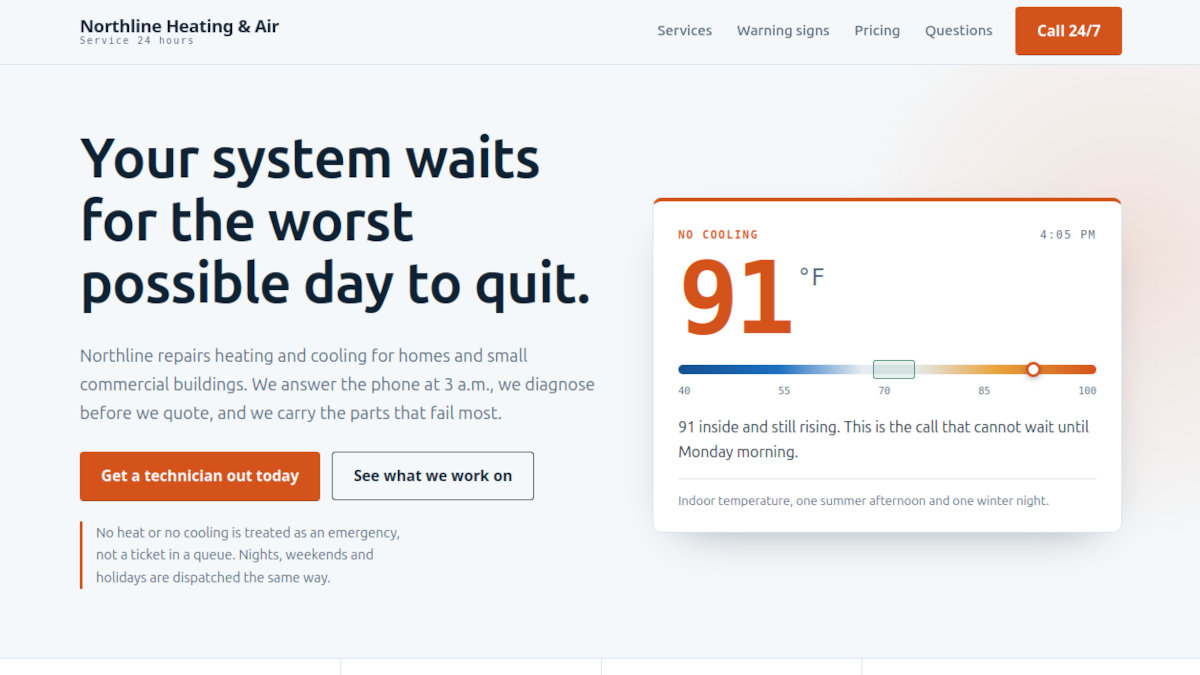
A thermostat display cycles through a real service story: a cooling failure that pushes the house to 91 degrees on a summer afternoon, and a furnace lockout that drops it to 48 degrees overnight, each ending with the system repaired and the temperature back in range.

  • Same day emergency callsNights, weekends, holidays
  • Flat price before we startYou approve the number first
  • Every brand, every ageIncluding equipment others will not touch
  • Licensed and insuredEPA certified technicians

What we work on

Repair first when repair makes sense. If a system is past saving, we will tell you that plainly and show you the math instead of selling around it.

Cooling

  • Air conditioning repairCompressors, capacitors, contactors, blower motors, control boards, refrigerant leaks.
  • Heat pump serviceReversing valves, defrost boards, low charge, short cycling in either mode.
  • System replacementLoad calculated for the real house, not sized off the old nameplate.
  • Mini split install and serviceAdditions, garages, shops, and rooms the ductwork never reached.

Heating

  • Furnace repairIgnitors, flame sensors, pressure switches, limit trips, gas valves, inducer motors.
  • No heat callsGas, electric, oil and dual fuel, including lockouts and repeated tripping.
  • Ductwork and airflowLeaking runs, crushed flex, rooms that never match the thermostat.
  • Indoor air qualityFiltration, humidity control, fresh air, and the maintenance that keeps it working.

Call before it becomes an overnight problem

Most failures announce themselves for a week or two first. These are the ones worth acting on the same day you notice them.

Cooling side

  • Air from the vents is barely cooler than the room
  • The outdoor unit hums but the fan does not turn
  • Ice on the refrigerant line or the indoor coil
  • The system runs all afternoon and never satisfies
  • Water around the indoor unit or a backed up drain line
  • A breaker that keeps tripping when the unit starts

Heating side

  • The furnace lights, runs briefly, then shuts back down
  • Cold air from the vents while the thermostat calls for heat
  • A burning or sour smell after the first cold snap
  • Booming or rumbling at ignition
  • A yellow burner flame instead of a steady blue one
  • Any carbon monoxide alarm, which is a leave now situation

How a service call goes

Four steps, no surprises added at the end.

You call, a person answers

Not a call center. We ask what the system is doing so the truck arrives stocked for it.

We diagnose on site

A full check of the system, not a guess at the loudest symptom. You get told what failed and why.

You approve the price

One number for the repair, given before any wrench turns. Repair or replace gets an honest comparison.

We fix it and verify

Temperatures, pressures and amp draw checked after the repair, so it leaves running the way it should.

Pricing you can see before you commit

Emergency work is not priced differently because it is inconvenient for you.

Diagnostic visit

$89waived with repair

A technician comes out, tests the system and gives you the failure and the repair price in writing.

Seasonal tune up

$129per system

Full clean and inspection before the season turns, with a written report of anything trending toward failure.

Comfort plan

$19per month

Two visits a year, priority dispatch ahead of the general queue during heat waves and cold snaps, and 15 percent off repairs.

System replacement

Quotedafter a load calculation

Sized for the house as it is today. You get options at more than one price point and the operating cost difference between them.

What customers say

Called at eleven at night with no heat and a newborn in the house. Someone answered, and a tech was in the driveway inside the hour.

Homeowner

Two other outfits told me the unit was done. Northline found a bad capacitor, fixed it that afternoon, and it has run fine since.

Repeat customer

The price they quoted was the price I paid. They also showed me the reading that proved the part had failed instead of just telling me.

Small business owner

Questions we get every week

Do you charge extra for nights and weekends?

An after hours call carries a modest dispatch difference, quoted to you on the phone before we roll. Nobody finds out about it on the invoice.

My unit is old. Is it worth repairing?

Sometimes yes. We give you the repair cost, the remaining life we expect, and what a replacement would cost to run instead. The decision stays yours.

How fast can someone get here in an emergency?

No heat and no cooling calls go to the front of the schedule. During an extreme heat or cold event we work through the list by risk, so households with infants, elderly residents or medical equipment go first.

Do you work on brands you did not install?

Yes. We service every major brand regardless of who put it in, including systems other companies have declined to touch.

What can I check before I call?

Confirm the thermostat is set and has power, check the breaker, and look at the filter. If those are fine, stop there and call. Past that point you are into refrigerant and gas, and that is our job.

No heat or no cooling right now?

Do not wait for business hours. That is what the 24 hour line is for.
Request service

For anything that can wait until the next open slot: tune-ups, estimates, a unit that is running but not right. We confirm every request by phone.

(540) 555-0152

No heat or no cooling right now? Skip the form and call. The 24 hour line is answered by a person.

Received. A dispatcher will call to confirm a time.

Behind the scenes

What a Northline site gets
that you never see.

Heating and air is a service-area trade with an emergency side. The site has to tell Google which towns the vans cover, that the phone is answered at 2 am in January, and what a visit costs before the truck rolls, because that is what people search for when the furnace quits. Every item below is built into a real BizPinPro site for a business like this one. Click any of them to see the real piece and what it does for the owner.

01Structured data for a service-area trade with an emergency lineHow Google learns the towns you cover, the hours and the 24 hour line, with no showroom to visit+

Schema.org markup is a block of data in the page head, written in Google's own vocabulary, that says plainly what the business is. Schema.org has a type made for this trade, HVACBusiness, and using it rather than a generic business type is what gets the "HVAC contractor" label under the name. The area served is listed town by town, there is no street address (the shop is not a place customers visit, so the markup matches a Google Business Profile with the address hidden), the office hours are in it, and the six things on the pricing and services sections are listed one by one.

The 24 hour line is a separate fact from the office hours. Mark the business "open 24 hours" and Google will send people to a locked door for parts; list office hours and put the emergency line in the contact details, and both are true.

What it does for the owner: "ac repair near me" in Radford at 9 pm in July returns businesses Google knows serve Radford and do cooling. The markup is what puts Northline in that list with a call button.

The schema a real Northline site would carry

{
  "@context": "https://schema.org",
  "@graph": [
    {
      "@type": "HVACBusiness",
      "@id": "https://northlineheating.example/#business",
      "name": "Northline Heating & Air",
      "url": "https://northlineheating.example/",
      "telephone": "+15405550152",
      "priceRange": "$$",
      "address": {
        "@type": "PostalAddress",
        "addressRegion": "VA",
        "addressCountry": "US"
      },
      "areaServed": [
        "New River Valley, Virginia",
        "Montgomery County, VA",
        "Pulaski County, VA",
        "Radford, VA"
      ],
      "openingHoursSpecification": [
        {
          "@type": "OpeningHoursSpecification",
          "dayOfWeek": [
            "Monday",
            "Tuesday",
            "Wednesday",
            "Thursday",
            "Friday"
          ],
          "opens": "07:00",
          "closes": "18:00"
        },
        {
          "@type": "OpeningHoursSpecification",
          "dayOfWeek": "Saturday",
          "opens": "08:00",
          "closes": "14:00"
        }
      ],
      "hasOfferCatalog": {
        "@type": "OfferCatalog",
        "name": "Services",
        "itemListElement": [
          {
            "@type": "Offer",
            "itemOffered": {
              "@type": "Service",
              "name": "Cooling"
            }
          },
          {
            "@type": "Offer",
            "itemOffered": {
              "@type": "Service",
              "name": "Heating"
            }
          },
          {
            "@type": "Offer",
            "itemOffered": {
              "@type": "Service",
              "name": "Diagnostic visit"
            }
          },
          {
            "@type": "Offer",
            "itemOffered": {
              "@type": "Service",
              "name": "Seasonal tune up"
            }
          },
          {
            "@type": "Offer",
            "itemOffered": {
              "@type": "Service",
              "name": "Comfort plan"
            }
          },
          {
            "@type": "Offer",
            "itemOffered": {
              "@type": "Service",
              "name": "System replacement"
            }
          }
        ]
      }
    },
    {
      "@type": "WebSite",
      "@id": "https://northlineheating.example/#website",
      "url": "https://northlineheating.example/",
      "name": "Northline Heating & Air",
      "publisher": {
        "@id": "https://northlineheating.example/#business"
      }
    },
    {
      "@type": "WebPage",
      "@id": "https://northlineheating.example/#webpage",
      "url": "https://northlineheating.example/",
      "name": "Emergency HVAC Repair in the New River Valley | Northline",
      "isPartOf": {
        "@id": "https://northlineheating.example/#website"
      },
      "about": {
        "@id": "https://northlineheating.example/#business"
      }
    }
  ]
}

No star rating is typed in on purpose. A rating written by hand is wrong the day the next review lands. It comes from the live Google profile or not at all.

02The FAQ, marked up so Google can show the answersFive questions on this page become five answers under the listing in search+

This page already answers the five questions customers ask every week. On a real site those are also marked up as a FAQ page in the same vocabulary, question and answer, exactly as they appear on the page. Google can then show them under the listing in search, so "do you charge extra for nights and weekends" gets answered before the click.

The markup is generated from the same FAQ list that prints the page, so adding a sixth question adds it to both.

What it does for the owner: the listing takes up more of the screen than the competitor's, and the person reading it has already had their first objection answered.

The FAQ markup, from the questions on this page

{
  "@context": "https://schema.org",
  "@type": "FAQPage",
  "mainEntity": [
    {
      "@type": "Question",
      "name": "Do you charge extra for nights and weekends?",
      "acceptedAnswer": {
        "@type": "Answer",
        "text": "An after hours call carries a modest dispatch difference, quoted to you on the phone before we roll. Nobody finds out about it on the invoice."
      }
    },
    {
      "@type": "Question",
      "name": "My unit is old. Is it worth repairing?",
      "acceptedAnswer": {
        "@type": "Answer",
        "text": "Sometimes yes. We give you the repair cost, the remaining life we expect, and what a replacement would cost to run instead. The decision stays yours."
      }
    },
    {
      "@type": "Question",
      "name": "How fast can someone get here in an emergency?",
      "acceptedAnswer": {
        "@type": "Answer",
        "text": "(the answer from the FAQ on this page)"
      }
    },
    {
      "@type": "Question",
      "name": "Do you work on brands you did not install?",
      "acceptedAnswer": {
        "@type": "Answer",
        "text": "(the answer from the FAQ on this page)"
      }
    },
    {
      "@type": "Question",
      "name": "What can I check before I call?",
      "acceptedAnswer": {
        "@type": "Answer",
        "text": "(the answer from the FAQ on this page)"
      }
    }
  ]
}
03Title, description and canonical addressThe three lines Google shows, and the one tag that keeps your ranking in one place+

The title tag is the blue headline in a search result. It leads with what a customer types, not with the company name: "emergency HVAC repair" and "New River Valley" first, Northline second. The furnace quit at 11 pm and the person searching has never heard of the company. 50 to 60 characters, one topic per page.

The meta description is the grey text under it. Written as a sentence a customer would click, 140 to 160 characters. It does not change ranking, but it changes who clicks.

The canonical tag tells Google which address is the real one. Without it, northlineheating.example, www.northlineheating.example, the same page with a trailing slash and the same page with a tracking code on the end can all count as separate pages, and the ranking is split four ways.

This demo page is set to noindex on purpose. Northline Heating & Air is fictional, and a made-up business on BizPinPro's own domain would read as spam to Google. A client site is indexed from day one.

What the result would look like

northlineheating.example › home
Emergency HVAC Repair in the New River Valley | Northline
Heating and cooling repair, service and replacement across the New River Valley. Same day emergency service, a 24 hour line, and flat pricing quoted before the work starts.

The tags behind it

<title>Emergency HVAC Repair in the New River Valley | Northline</title>
<meta name="description" content="Heating and cooling repair, service and replacement across the New River Valley. Same day emergency service, a 24 hour line, and flat pricing quoted before the work starts.">
<link rel="canonical" href="https://northlineheating.example/">
04What the link looks like when someone shares itOpen Graph and Twitter card tags decide the picture, the title and the blurb+

When someone pastes the site into a Facebook group or texts it to a friend, the app builds a preview card. Without Open Graph tags it guesses: a random image from the page, or none, and the first sentence it finds. With them, the owner chooses the picture, the headline and the blurb once, and every share looks the same.

For a heating and air company the share is the neighbor in a Facebook group asking "AC died, who is good and honest" and three people pasting the same link. The card has to show the van, the name and the words same day before anyone clicks.

What it does for the owner: the referral thread is where most of the work comes from in July and January. The card is what three neighbors paste.

The preview card

Share preview card showing the northlineheating.example homepage
northlineheating.example
Northline Heating & Air | Emergency HVAC Repair, New River Valley
Same day heating and cooling repair, a 24 hour line, and flat pricing quoted before the work starts.

The tags behind it

<meta property="og:site_name" content="Northline Heating & Air">
<meta property="og:title" content="Northline Heating & Air | Emergency HVAC Repair, New River Valley">
<meta property="og:description" content="Same day heating and cooling repair, a 24 hour line, and flat pricing quoted before the work starts.">
<meta property="og:url" content="https://northlineheating.example/">
<meta property="og:type" content="website">
<meta property="og:image" content="https://northlineheating.example/includes/og-image.jpg">
<meta name="twitter:card" content="summary_large_image">
<meta name="twitter:title" content="Northline Heating & Air | Emergency HVAC Repair, New River Valley">
<meta name="twitter:image" content="https://northlineheating.example/includes/og-image.jpg">
05A sitemap that updates itselfGoogle gets a current list of pages with honest change dates, never a stale one+

A sitemap is the list of pages the site hands to Google so nothing has to be discovered by luck. On most sites it is a file somebody generated once and forgot. On a BizPinPro site sitemap.xml is generated by code every time it is requested, from the pages that exist right now. Add a page for heat pumps or a fall tune-up special and it is in the sitemap the same minute, without anyone remembering to do anything.

Each entry carries a last-changed date that comes from the page's real change time, not today's date stamped on every line. A sitemap that says every page changed today, every day, teaches Google to ignore it.

What it does for the owner: new pages get found in days instead of weeks, and the site never hands Google a list that points at pages that no longer exist.

sitemap.xml, as generated

<?xml version="1.0" encoding="UTF-8"?>
<urlset xmlns="http://www.sitemaps.org/schemas/sitemap/0.9">
  <url>
    <loc>https://northlineheating.example/</loc>
    <lastmod>2026-10-02</lastmod>
  </url>
  <url>
    <loc>https://northlineheating.example/cooling</loc>
    <lastmod>2026-10-02</lastmod>
  </url>
  <url>
    <loc>https://northlineheating.example/heating</loc>
    <lastmod>2026-09-30</lastmod>
  </url>
  <url>
    <loc>https://northlineheating.example/pricing</loc>
    <lastmod>2026-09-14</lastmod>
  </url>
  <url>
    <loc>https://northlineheating.example/comfort-plan</loc>
    <lastmod>2026-08-21</lastmod>
  </url>
  <url>
    <loc>https://northlineheating.example/contact</loc>
    <lastmod>2026-08-21</lastmod>
  </url>
</urlset>
06llms.txt, the summary written for AIWhat ChatGPT, Claude and Google's AI answers read instead of guessing from the page+

More people now ask an AI assistant "who can fix a furnace tonight near Radford" than you would think. llms.txt is a plain text file at the site's root that gives those systems a clean summary of the business: what it does, where, how to reach it, and which pages matter. It is the AI-era cousin of robots.txt and the sitemap.

Whether it moves the needle is honestly still debated. It is a young convention, not a formal standard, and the AI companies have not said how much weight they give it. BizPinPro creates it on every site regardless, because the cost is nothing: it is generated from the same information that drives the rest of the site, so it can never drift out of date, and the server logs every time an AI crawler reads it, so the owner can see whether it is being used at all.

llms.txt for Northline

# Northline Heating & Air

> Residential heating and cooling repair, service and
> replacement across the New River Valley of Virginia.
> Same day emergency service, a 24 hour line answered by
> a person, and flat pricing quoted before the work starts.

## Contact
- Phone: (540) 555-0152 (24 hour line)
- Serving: New River Valley, Virginia

## Services
- Cooling: repair, service and replacement
- Heating: repair, service and replacement
- Diagnostic visit (flat price, quoted on the phone)
- Seasonal tune up
- Comfort plan (two visits a year, priority scheduling)
- System replacement

## Important Pages
- [Cooling](https://northlineheating.example/cooling)
- [Heating](https://northlineheating.example/heating)
- [Pricing](https://northlineheating.example/pricing)
- [Request Service](https://northlineheating.example/contact)
07Built so everyone can use itLabels, alt text, contrast and keyboard use, checked before launch+

Accessibility is not a feature bolted on for a lawsuit. It is how the site is built from the first line. On this page already: every field in the service request form has a real label a screen reader announces, required fields are marked so, the colors pass the contrast test, the whole page works from the keyboard alone, and there is one h1 that says what the page is.

On a real site that carries through to every photo of the vans and the techs (alt text that says what is in them), the live thermostat in the hero (its temperature readout is also announced as text, and the animation stops for anyone who has turned reduced motion on), and the FAQ, which is built from the same expandable element a screen reader already knows how to open.

What it does for the owner: the person whose furnace quit may be eighty and reading on a phone with the text size turned all the way up. A page that still works at 200 percent zoom, with one obvious phone number, is the difference between a call and a bounce. And the same structure that helps a screen reader is what helps Google read the page.

The service request form on this page, as a screen reader sees it

form
  edit text "Name", required
  edit text "Phone", required
  edit text "Service address or town", required
  combo box "System"
  combo box "How soon"
  edit text, multi line "What is it doing"
  button "Send request"

The hidden anti-spam field is marked so screen readers skip it. A person never meets it; a bot fills it in and gives itself away.

08A service request form that reaches you and not the spammersSeven checks between the Send button and your inbox+

A form on the open web is hit by bots within days of launch. On a BizPinPro site the form posts to the site's own handler, then through BizPinPro's mail relay, and a message has to pass seven checks on the way: a hidden field only bots fill, a timer that catches forms submitted faster than a person could type, a page token a replayed form never has, rate limits per site and across every site on the relay, blocklists for known bad senders and throwaway email domains, and an AI read of the message that drops link-building pitches but lets a short, urgent "no heat, 2 kids, can you come tonight" straight through.

If the AI is ever unreachable the message is delivered anyway. A real lead is never lost to an outage. Every delivered message is also kept on record in the owner's client portal, so a missing email is never a missing customer.

On this demo the form sends nothing. The thank-you is local. The grooming demo walks through each layer beside a live form.

What the owner gets, every time

From:     BizPinPro Mail Relay <ops@bizpinpro.com>
Reply-To: Lee P. <lee.p@example.com>
To:       service@northlineheating.example
Subject:  Service request: Furnace, this week

Name:      Lee P.
Phone:     (540) 555-0163
Address:   Christiansburg, Cambria area
System:    Furnace
How soon:  This week is fine
Details:   Short cycling since Sunday. 2011 Carrier,
           filter changed last month. No smell.

This is an automated message from the BizPinPro Mail Relay.
Hit reply and it goes straight to Lee.
09Hosting, monitoring and a monthly reportThe part that keeps running after launch day+

The site lives on BizPinPro's own servers, not a shared page builder, with nightly backups and a monitor that checks it is up and notices when it is not. There is no plugin stack to update and nothing to break on a Tuesday night.

Once a month the owner gets one link, no login: how many people found Northline on Google, which searches brought them, which pages they read, how many called from the profile, and a few sentences in plain language on what moved and why. For heating and air the report is seasonal by nature: "ac repair" in July, "furnace repair" in January, and a tune-up window in between that the owner can time a mailing to.

See it: the sample monthly report on the grooming demo shows the whole thing with sample numbers.

One month, one link

Digital Pulse: Northline Heating & Air, September 2026

Google Business Profile
  Profile views     1,980   down 4%
  Calls               142   down 9%
  Direction requests   11   (shop, parts pickup)
  Website clicks       96   down 3%

Search
  Clicks              118   down 6%
  Impressions       7,640   down 2%
  Average position    8.1   was 8.4

Top searches
  ac repair near me
  hvac tune up christiansburg
  furnace not turning on

Summary
  September is the quiet month between the two seasons and
  the numbers show it. Calls dropped from August's peak as
  expected. "Furnace not turning on" appeared in the top
  searches for the first time since March, which is the
  cue to run the fall tune-up mailing now...

This section is on every BizPinPro example site, written for that kind of business. The grooming demo and the auto repair demo go further and open the owner's side: a live booking system, the owner dashboard and the monthly report. Read the full version for heating and air companies, with every term explained in the glossary.

This is an example site built by BizPinPro  |  All Examples · Auto Repair Website Demo (Live Booking + Owner Dashboard) · Pet Grooming Website Demo (Live Booking + Owner Dashboard) · Pressure Washing Website Demo · Restaurant Website Demo · Towing Website Demo (Heavy Recovery) · Towing Website Demo (Local Operator) · Trucking Website Demo · WordPress.com Homepage: Custom-Code Recreation