Websites for heating and air companies.
Heating and air is a service-area trade with an emergency side. The vans go to the customer, so the markup lists the towns and leaves the shop address out, and the 24-hour line is kept separate from office hours so Google never sends a parts customer to a locked door at midnight. The searches are seasonal and specific, "ac repair near me" in July and "furnace not turning on" in January, and the site is built to answer them. Here is what a BizPinPro site for this trade carries, and why.
Why an HVAC company's site is built differently
The customer is often older, reading on a phone with the text turned up, at the worst possible time. They want three things: is this company near me, will someone come tonight, and what will it cost. A site that makes them hunt for any of the three loses the call to the next result.
Google needs the same three facts. The Business Profile hides the shop address and lists the towns; the site's structured data matches it and adds office hours and the emergency line as separate facts. The pricing section is not marketing, it is the answer to the second-most-common question, and the FAQ is marked up so Google can show the answers under the listing before the click.
Structured data for a service-area trade with an emergency line
Schema markup is a block of data in the page head, written in JSON-LD. Schema.org has a type made for this trade, HVACBusiness, and using it is what gets the "HVAC contractor" label under the name. The area served is listed town by town, there is no street address, the office hours are in it, and the services and pricing items are listed one by one. The 24-hour line goes in the contact details, not the hours, so both are true.
The shape, shortened
{
  "@type": "HVACBusiness",
  "name": "Northline Heating & Air",
  "telephone": "+15405550152",
  "address": {
    "@type": "PostalAddress",
    "addressRegion": "VA",
    "addressCountry": "US"
  },
  "areaServed": [
    "New River Valley, Virginia",
    "Montgomery County, VA",
    "Pulaski County, VA",
    "Radford, VA"
  ],
  "openingHoursSpecification": [
    {
      "@type": "OpeningHoursSpecification",
      "dayOfWeek": [
        "Monday",
        "Tuesday",
        "Wednesday",
        "Thursday",
        "Friday"
      ],
      "opens": "07:00",
      "closes": "18:00"
    }
  ],
  "hasOfferCatalog": {
    "@type": "OfferCatalog",
    "itemListElement": [
      {
        "@type": "Offer",
        "itemOffered": {
          "@type": "Service",
          "name": "Cooling"
        }
      },
      {
        "@type": "Offer",
        "itemOffered": {
          "@type": "Service",
          "name": "Heating"
        }
      },
      {
        "@type": "Offer",
        "itemOffered": {
          "@type": "Service",
          "name": "Diagnostic visit"
        }
      },
      {
        "@type": "Offer",
        "itemOffered": {
          "@type": "Service",
          "name": "Seasonal tune up"
        }
      }
    ]
  }
}
Mark the business "open 24 hours" and Google sends people to a locked shop for parts. List office hours and put the emergency line in the contact details, and both are true.
01
Title, description and canonical address
The title tag leads with "emergency HVAC repair" and the area, company name second, because the furnace quit at 11 pm and the person searching has never heard of the company. The meta description says same day, 24 hour line, flat pricing. The canonical tag keeps the copies of the page from splitting its ranking.
02
The FAQ, marked up so Google shows the answers
The five questions customers ask every week are on the page and in FAQ schema, question and answer, word for word. Google can show them under the listing in search, and the assistants quote them, so "do you charge extra for nights and weekends" gets answered before the click.
03
A share card for the referral thread
"AC died, who is good and honest" gets asked in July and three neighbors paste the same link. The Open Graph and Twitter card tags decide what it shows: the van, the name and the words same day.
04
A sitemap that updates itself
The sitemap is generated by code from the pages that exist right now, with honest change dates. Add a heat pump page or a fall tune-up special and it is in the list the same minute.
05
llms.txt for the AI assistants
"Who can fix a furnace tonight near Radford." llms.txt hands the assistant the 24-hour line, the towns, the services and the flat diagnostic price. Its value is still debated and its cost is nothing.
06
Built for the customer with the text size turned up
Accessibility is built in: one obvious phone number, a page that works at 200 percent zoom, the live thermostat in the hero announced as text, the animation stopped for anyone with reduced motion on, and the FAQ built from the element a screen reader already knows how to open.
07
A service request form that reaches you
Name, phone, service address or town, which system, how soon, what it is doing. Seven checks between Send and the inbox, starting with a honeypot only bots fill. "No heat, 2 kids, can you come tonight" goes straight through. Every delivered message is kept in the client portal.
08
Hosting, monitoring and a monthly report that follows the seasons
The site lives on a server BizPinPro controls with nightly backups, an SSL certificate that renews itself, and a monitor. The monthly report is seasonal by nature: "ac repair" in July, "furnace repair" in January, and the tune-up window in between that the owner can time a mailing to. Page weight is kept low so the page appears on a phone with two bars.
Common questions
Should my HVAC website list the shop address?
Only if customers come to it. Most heating and air companies are service-area businesses: the vans go out, nobody visits. Hide the address on the Business Profile, list the towns served, and keep the website's structured data matching. If you sell parts over a counter, keep the address and add counter hours separate from the dispatch line.
Should the site say we are open 24 hours?
Say the emergency line is answered 24 hours. Do not mark the business itself as open 24 hours, or Google will send people to a dark shop at midnight. The structured data carries office hours and the emergency number as two separate facts.
Why put prices on the site?
Because "how much is a service call" is the second question every caller asks, and the company that answers it on the page gets the call from the person who would not have phoned to ask. A flat diagnostic price and a tune-up price are enough; repairs are quoted on site.
Can I see one?
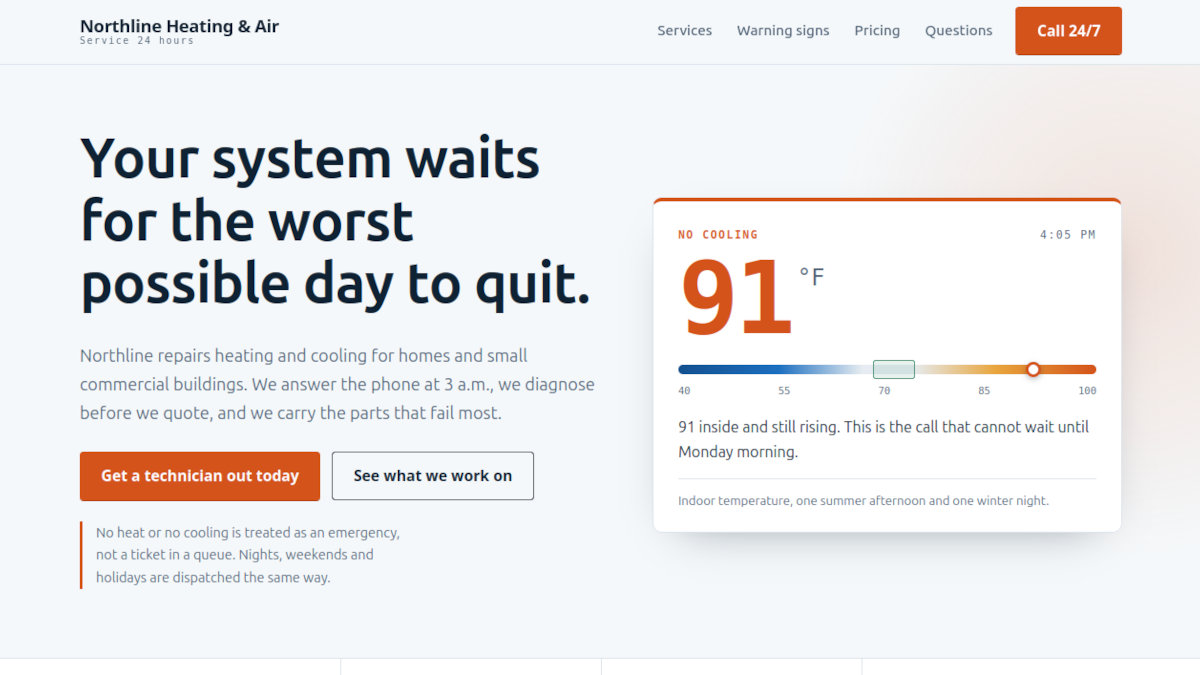
Yes. Northline Heating & Air is a fictional company built as a working example, with the hero thermostat, pricing, a FAQ, and a "Behind the scenes" section at the bottom that opens every piece described here, including the FAQ markup.