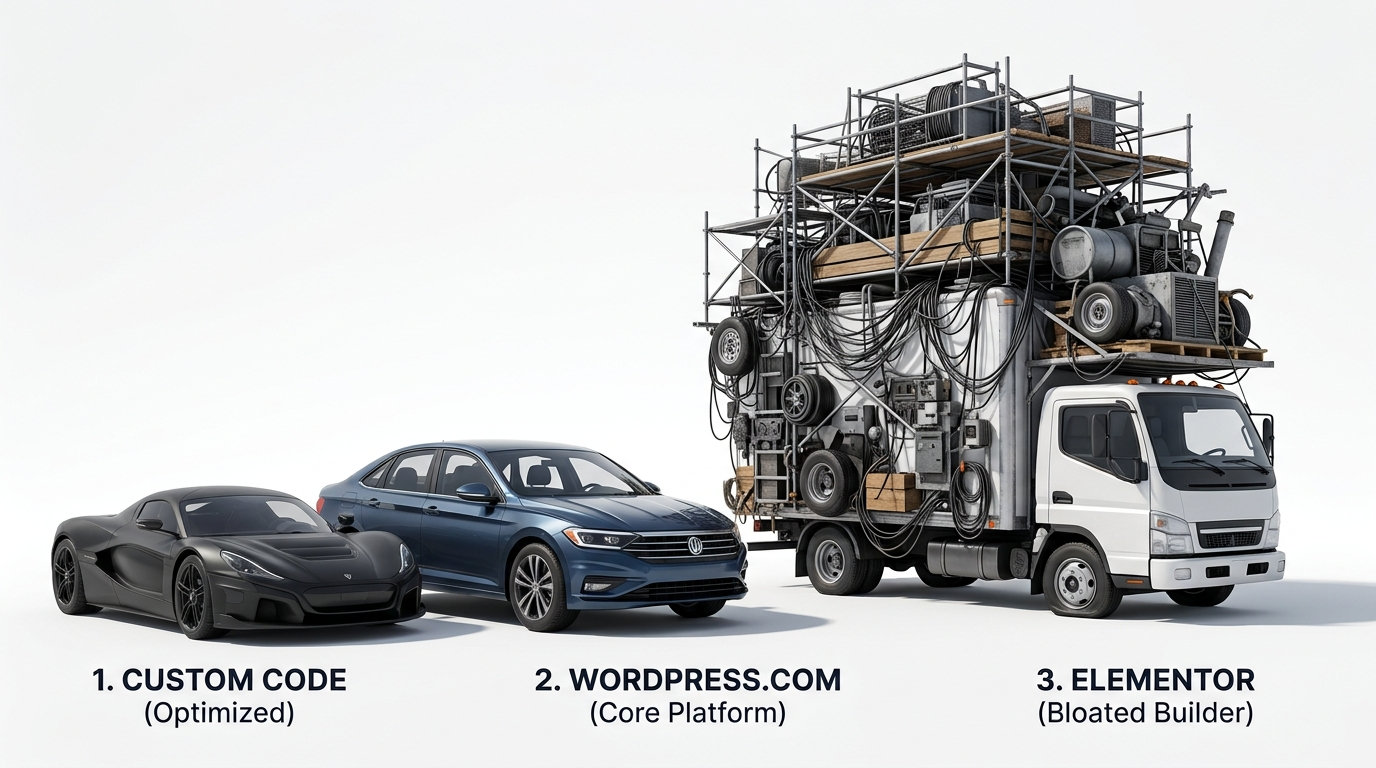
I expected this post to be about WordPress being bloated. It turned into something more specific, and more useful.
What I Set Out To Measure
The question was simple. Build a custom-code recreation of WordPress.com's own homepage, same real copy, same layout, no images on either side to keep the comparison clean, and see how the byte weight compares to a hand-built, framework-free version of the same page.
What I Found
WordPress.com's own homepage, the one their own team built and maintains, came in at 399,267 bytes without images. The custom-code recreation came in at roughly 386,000 bytes in the worst case. That is close enough to call a tie.
A properly built WordPress.com page, assembled carefully by people who know exactly what they are doing, is barely heavier than a page built from scratch with nothing but hand-written HTML and CSS. That surprised me, and it is worth saying plainly rather than burying it. WordPress itself, built right, is not the villain here.
Then I Checked Elementor
Elementor is the page builder plugin millions of WordPress sites run on, including the one I have written about before in Beyond Bloat. I checked their own homepage, the one promoting their own product, built with their own tool.
Elementor.com, without images: 3,952,656 bytes. Nearly 4 megabytes, and none of it is photos.
HTML alone: 482,972 bytes. JavaScript: 1,034,144 bytes. Fonts: 2,066,184 bytes, spread across twelve separate font files. The CSS carries Elementor's own signature, auto-generated, per-element class names, the kind of hashed, machine-written styling that a page builder produces by design and a human developer never would.
The Real Comparison
Site Bytes, no images
- Custom-code recreation ~386,000
- WordPress.com's own homepage 399,267
- Elementor.com's own homepage 3,952,656
Elementor's own marketing page, the one page they had every reason to make as lean and fast as possible, weighs roughly ten times more than a hand-built page carrying the same kind of content. This is not a theoretical criticism of a tool used carelessly by someone else. This is the tool's own creators running it on their own site.
Why This Matters More Than A WordPress Comparison Would
WordPress itself is not inherently the problem. The platform can be built cleanly, as its own homepage proves. What drives Code Bloat is what gets stacked on top of it, specifically page builders like Elementor, which generate enormous amounts of machine-written CSS and JavaScript to enable the drag-and-drop editing experience that makes building a page easy for someone with no coding background.
That convenience has a cost, and the cost shows up in the numbers above. Every visitor to a site built this way downloads megabytes of JavaScript and font weights that have nothing to do with the content on the page, just to render something a hand-coded page accomplishes in a fraction of the size.
What This Means For A Small Business Website
If your site is built on WordPress with a clean, hand-coded theme and no page builder, you are likely in reasonably good shape on this specific front. If your site was built with Elementor, or a similar drag-and-drop builder, there is a real, measurable amount of unnecessary weight sitting on every page, slowing load times and burning through mobile data for every visitor who shows up.
This is not a judgment of anyone's intelligence for choosing a page builder. It is a judgment of what that convenience costs, measured honestly, using the builder's own homepage as the evidence.
The Foundation Connection
Code Bloat is not an abstract concept. It is a real, measurable number sitting in the byte weight of every page a visitor loads. WordPress, built carefully, is not automatically bloated. A page builder layered on top of it, even when built by the company that makes the tool, demonstrably is.
Check what your own site is carrying.
The numbers do not lie, and in this case, the company that built the tool already showed its own hand.


